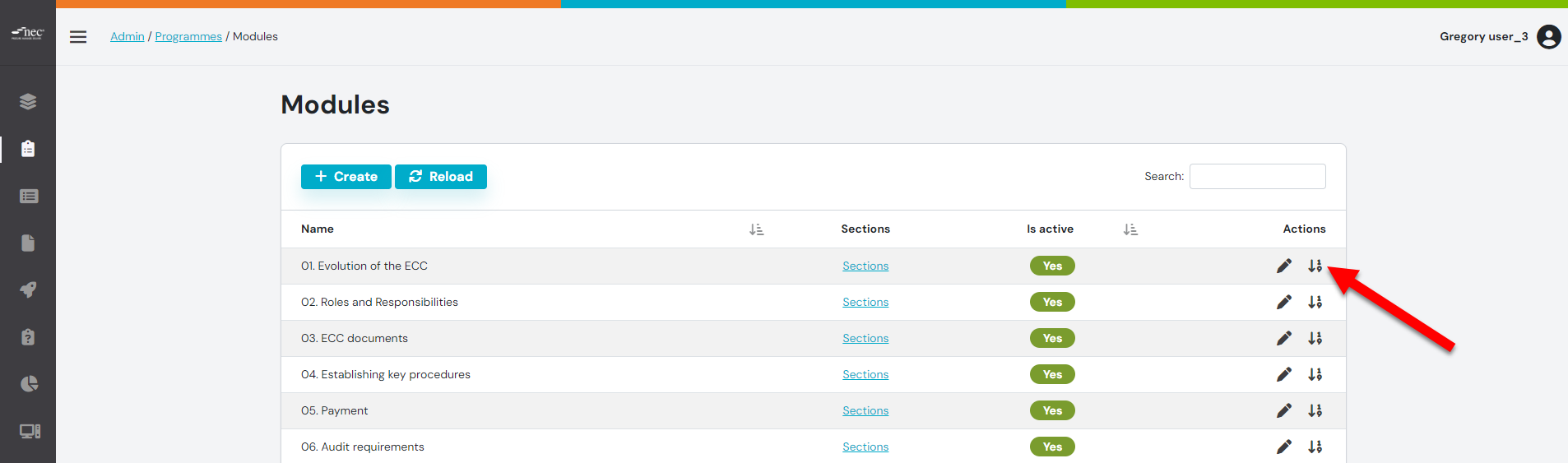
Step 1: From the Modules Tab , click the Re-Order button
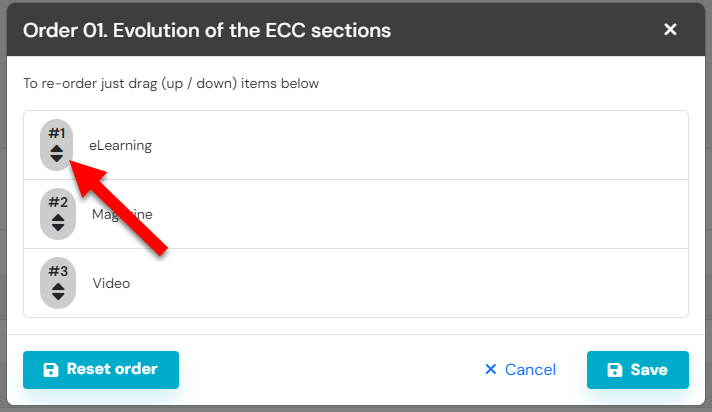
Step 2: Re-Order the Sections
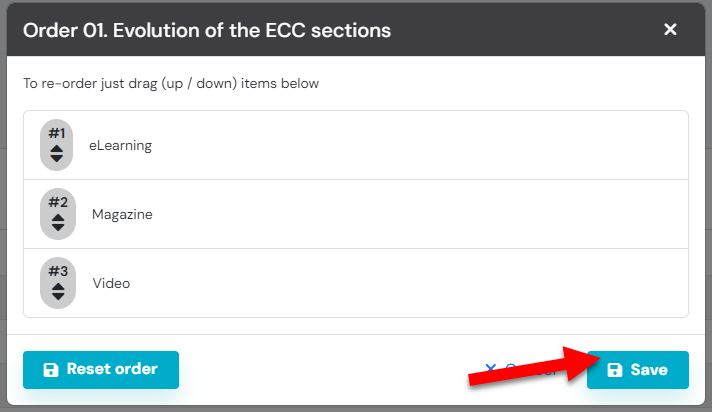
Step 3: Click the 'SAVE' button
You are able to reset the order, by pressing the 'RESET ORDER' button

Modified on: Mon, 18 Sep, 2023 at 11:02 AM
You are able to reset the order, by pressing the 'RESET ORDER' button
Did you find it helpful? Yes No
Send feedback