
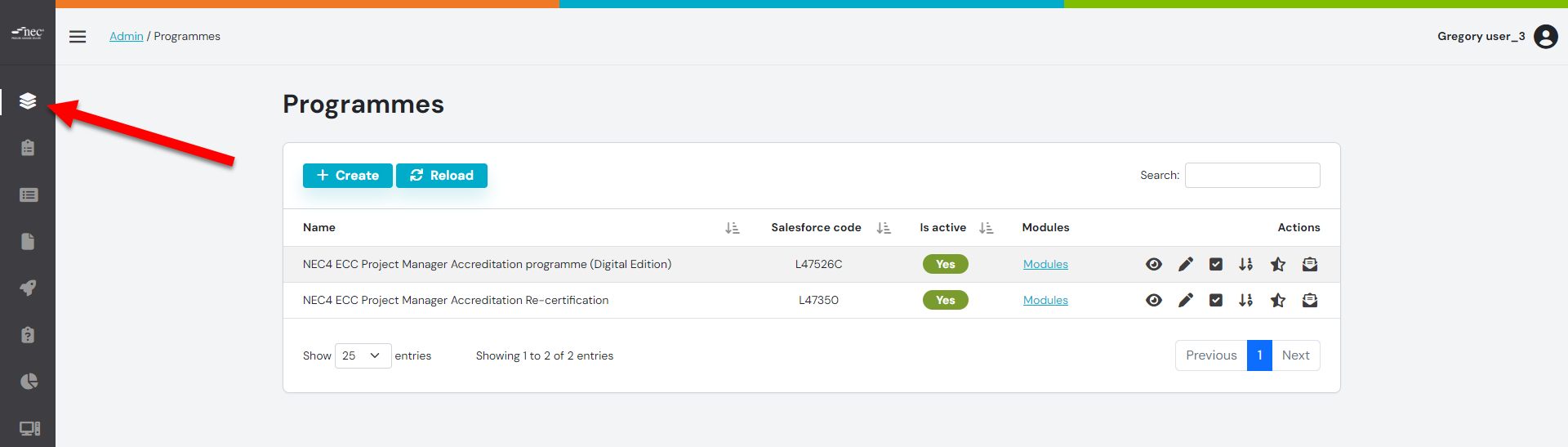
Step 1: Click on Programmes
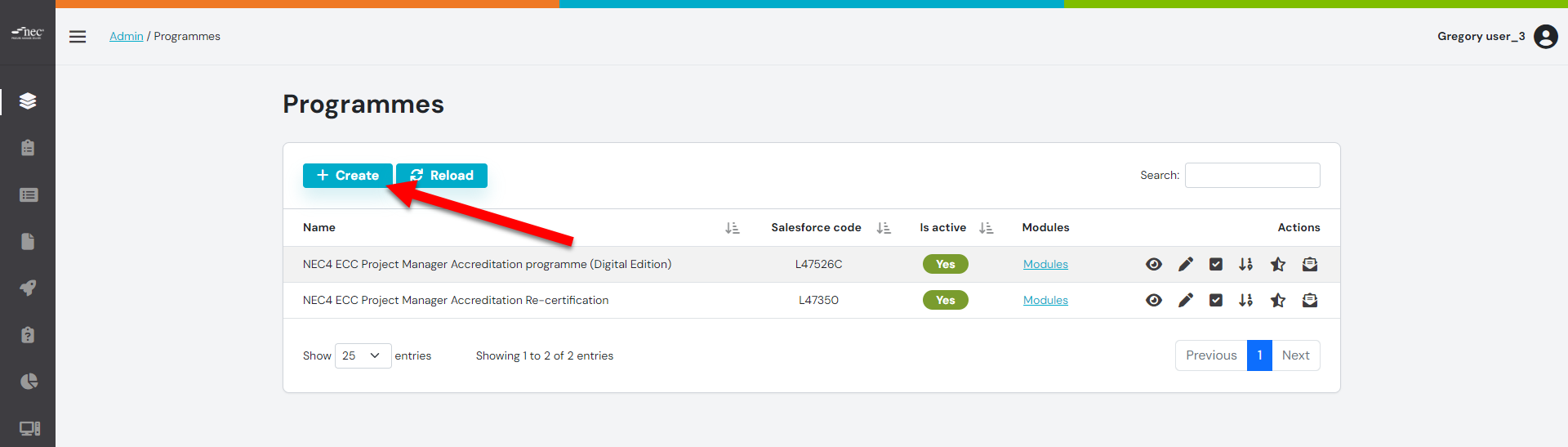
Step 2: Click the 'CREATE' button
Step 3: Below in the template which is viewable on the front end.
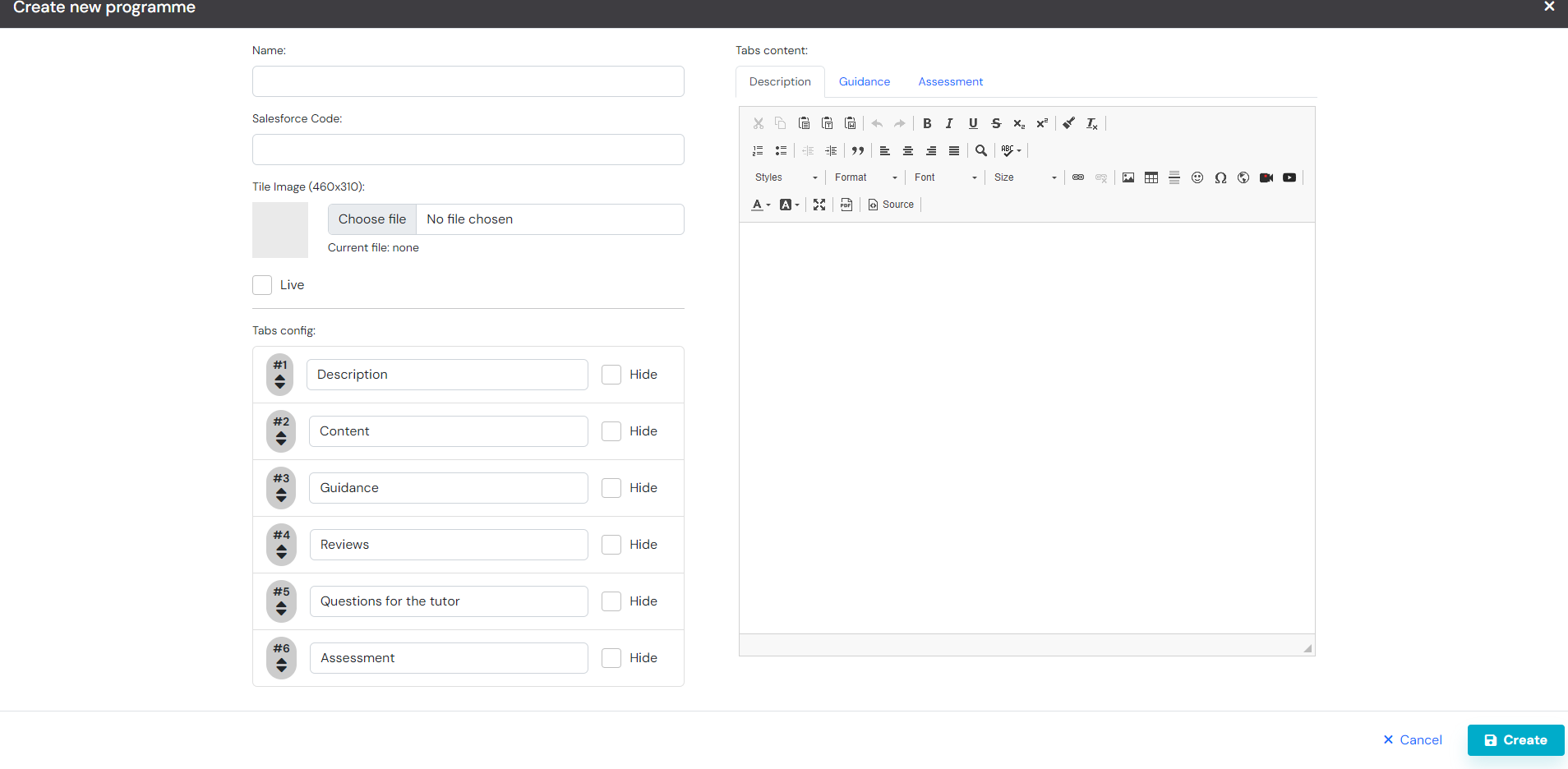
- Name, the title of the course
- Salesforce code, the SF code
- Description Tab, add the description of the course
- Guidance, add any guidance for the course
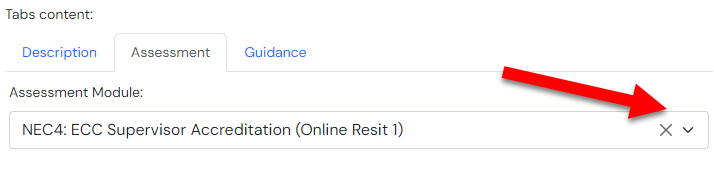
Step 4: The Assessment Tab
- Here you are able to select the module for the assessment
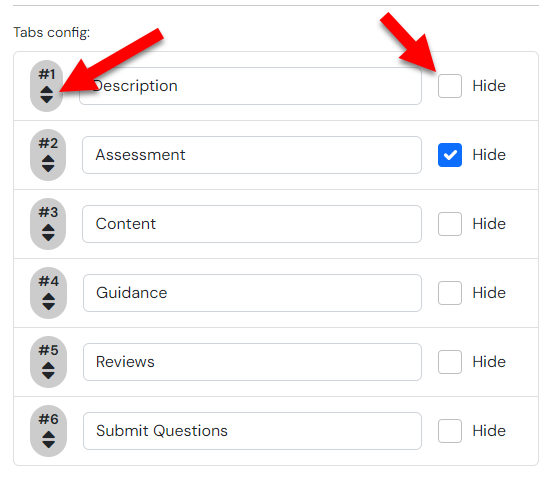
Step 5: Re-Ordering the tabs
- You are able to drag to reorder of the tabs, also you are able to hide the tabs from here
Step 6 : Click the 'CREATE' button

On the ASSESSMENT Tab, to add a start button, use the following: [start_button]

To add a Practice Attempt, use the following: [practice_attempt]